網站各首頁相關
首頁主要是這個檔案:
data/www/aiacademy_tw/wp-content/themes/a/page-home.php
首頁主選單位置
在這邊: data/www/aiacademy_tw/wp-content/themes/a/v2_frontend_functions.php
裡面的 get_v2_nav_conf function
更新最新消息
會先更新到這個試算表
- 要把「簡介」轉成 html ,可用 vscode markdownConverter 模組看看
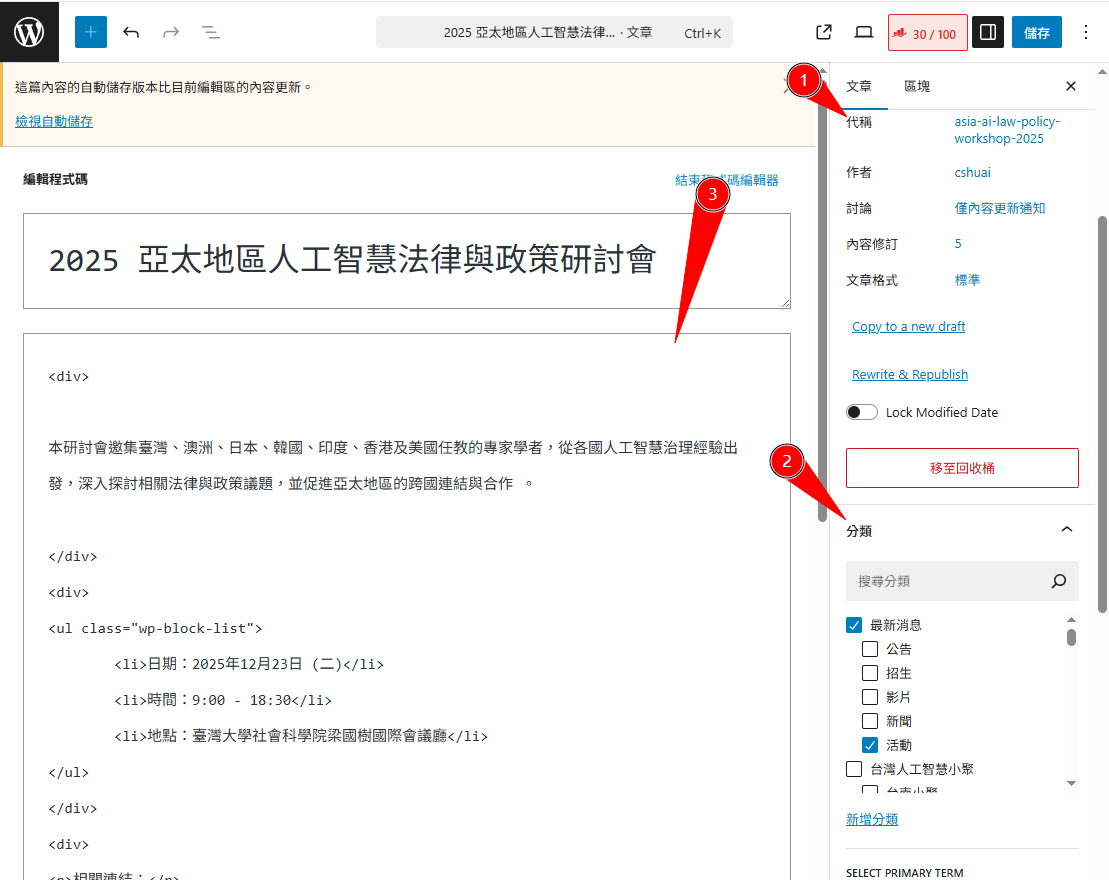
- 新增內容,注意要做:
- 改網址路徑代稱
- 勾「分類」和下面的子分類
- 改標題和內容
- 上傳圖片,上傳前要改大小,大於 2mb 沒辦法上傳
SEO 部份:
- 網址用 news- 開頭(WP 不知怎麼設成 news/xxxx ,待研究
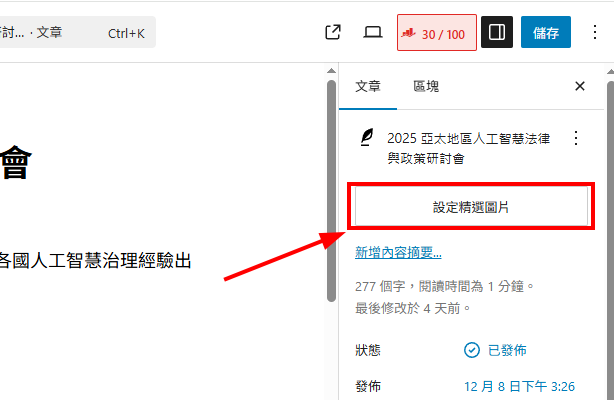
- 圖片請加到右上角「設定精選圖片」位置,FB 縮圖才會呈現
完成後事項
- 清快取,頁面在 wp fastest cache 設定
- 檢查確認首頁、列表頁都有連結
開課流程
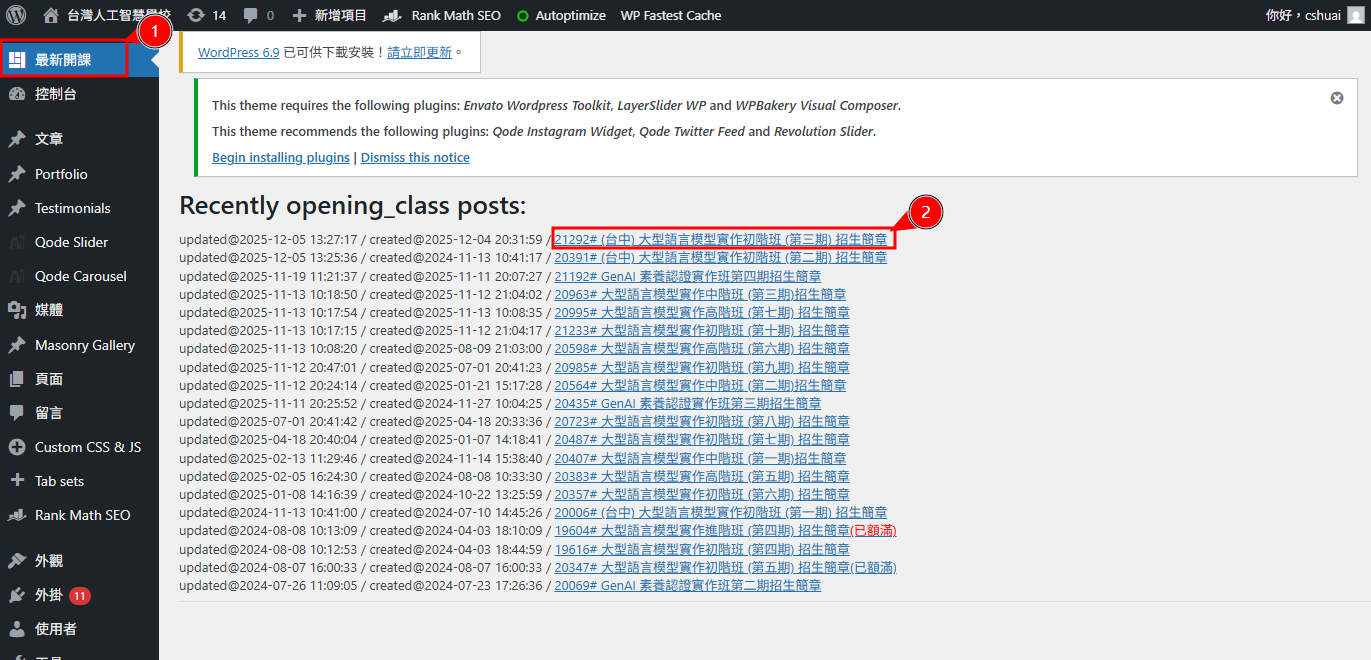
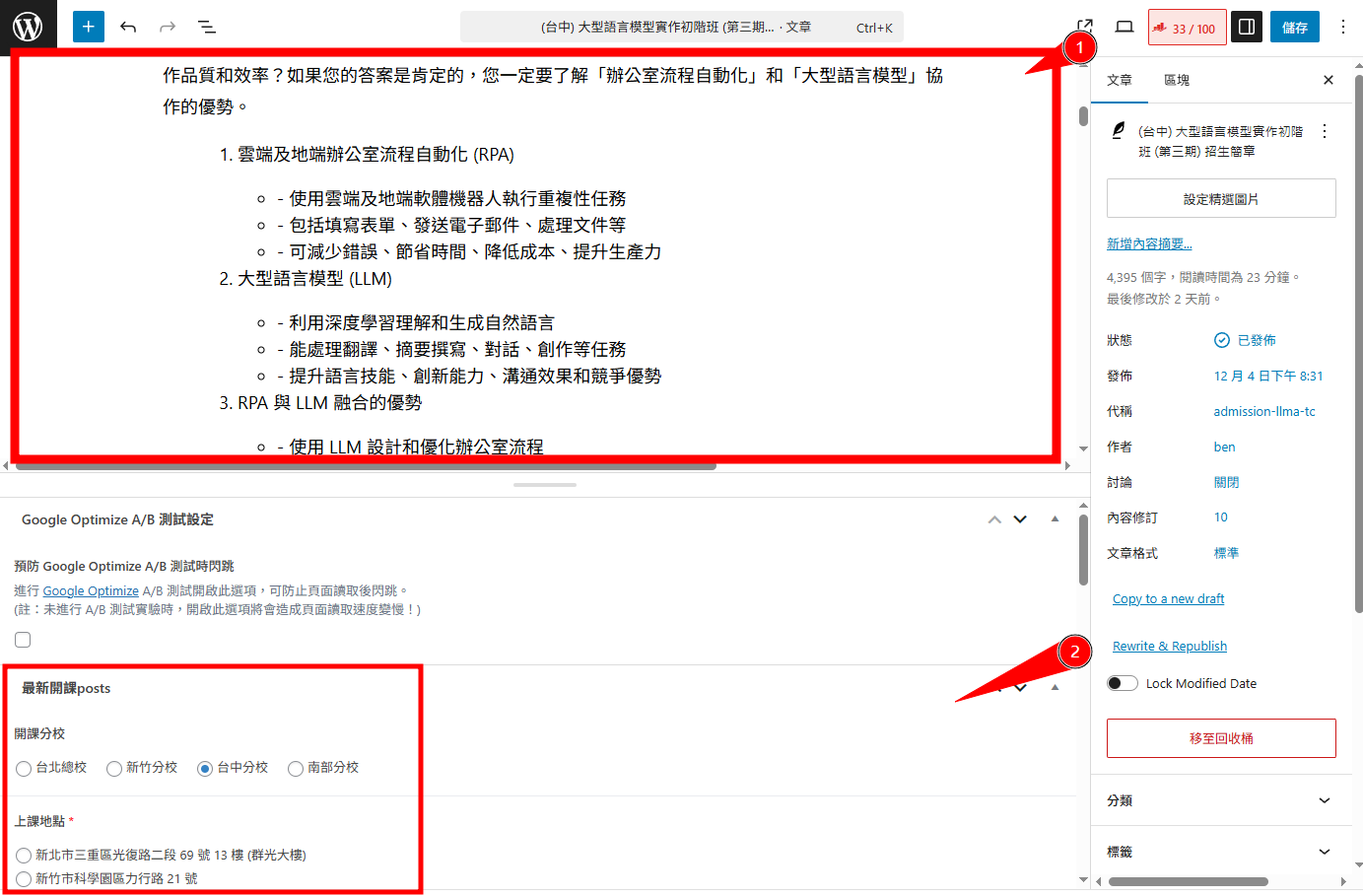
版型複製前面的
下面有連動到表格的: 地點、開課日期、報名截止日期
然後比較表格要更新日期等等的
每天更新報名資訊管理
工作筆記:開課流程 3
https://aiacademy.tw/adminer_73625988/adminer-4.8.1-mysql.php
帳密在 db_user_pwd.php
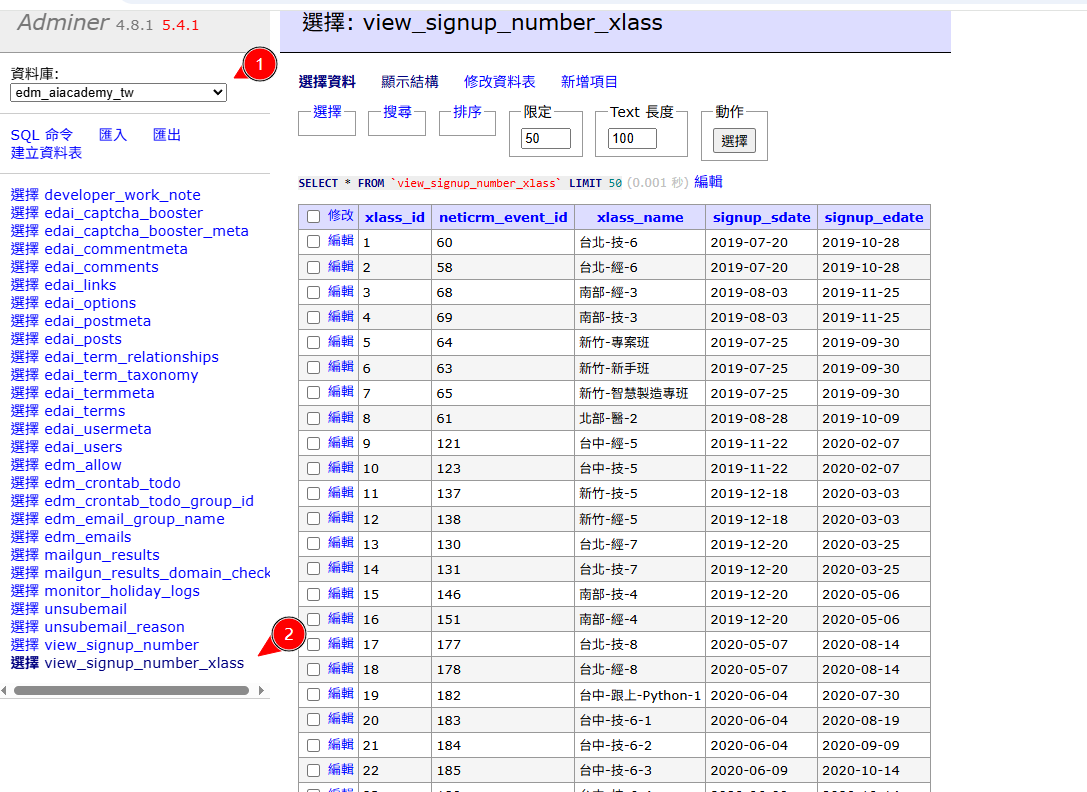
貼進 /root/liveserver2024/data/www/edm.aiacademy.tw/tools/view_signup_number/index.php
其中的 $ARY L107
https://edm.aiacademy.tw/tools/view_signup_number/
寄送是在 crontab -e
### edm.aiacademy.tw ###
30 * * * * docker exec python3.10 python /data/www/edm.aiacademy.tw/__crontab__/crontab__update_signup_result.py>

// 爬蟲

59 08 * * * docker exec python2.7 python /data/www/edm.aiacademy.tw/__crontab__/crontab__send_signup_result.py >>

// 每天寄結果
https://edm.aiacademy.tw/tools/view_signup_number/index.php
後來移到 Edm 站(報名進度報告程式)相關說明
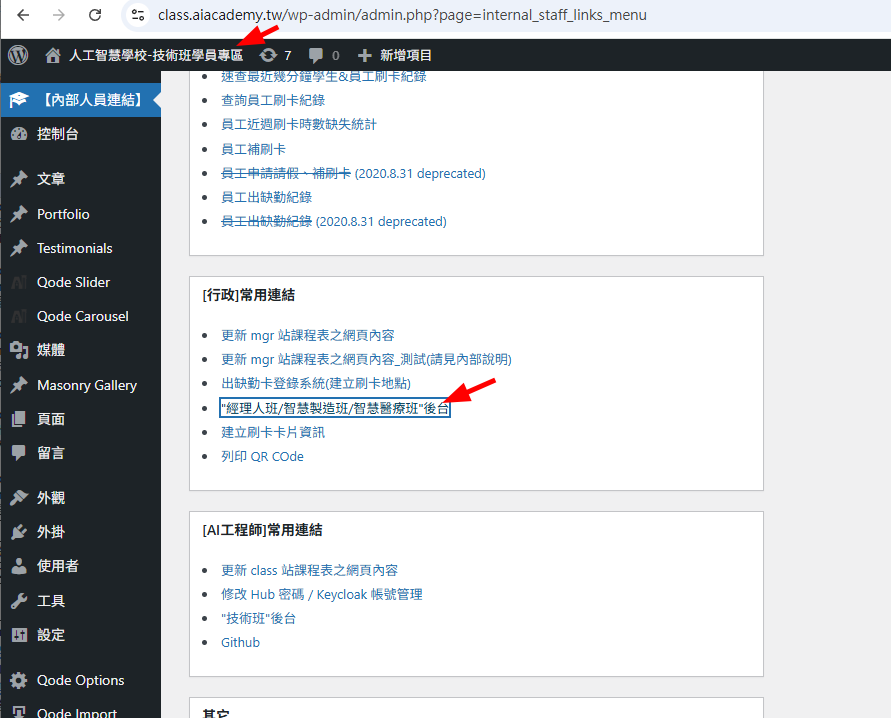
mgr 站會開學員專區
https://mgr.aiacademy.tw/mgr/admin/
也可以到這邊點擊
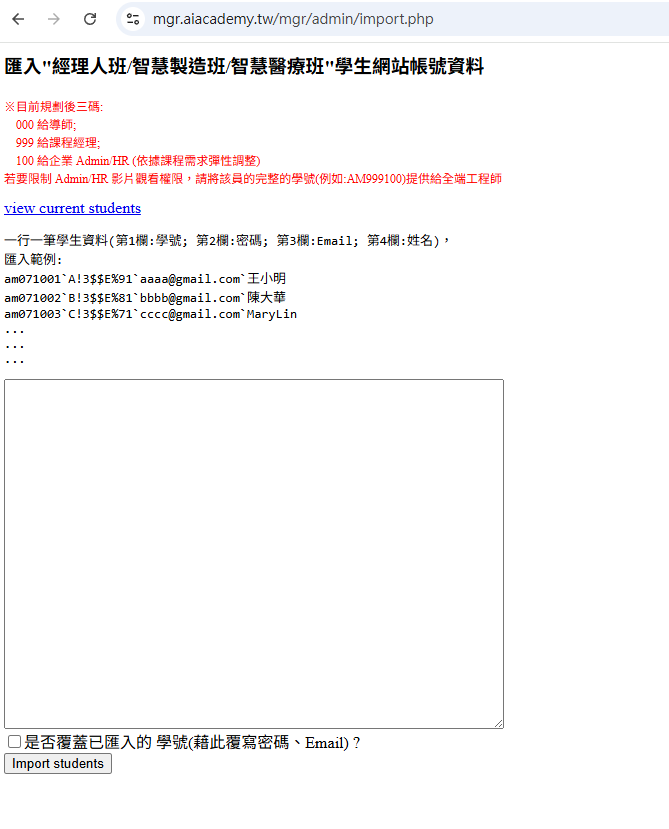
給行政用的 Import 長這樣:
mgr 這邊行政會上
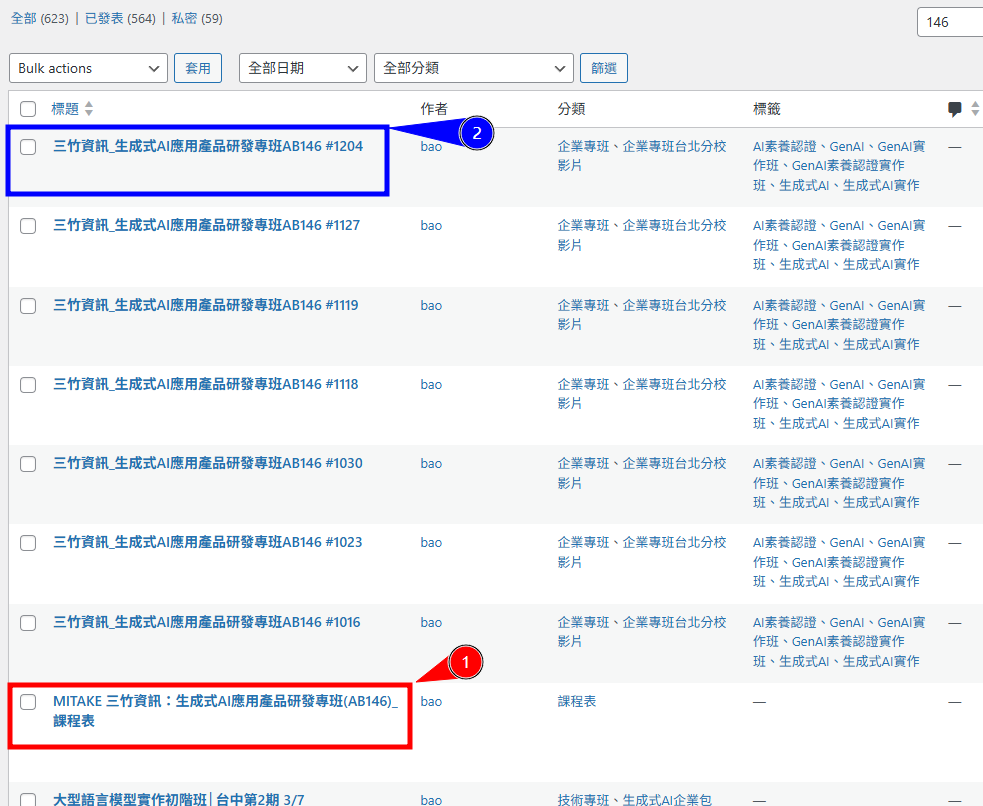
Vimeo 的回放要設定 Domain
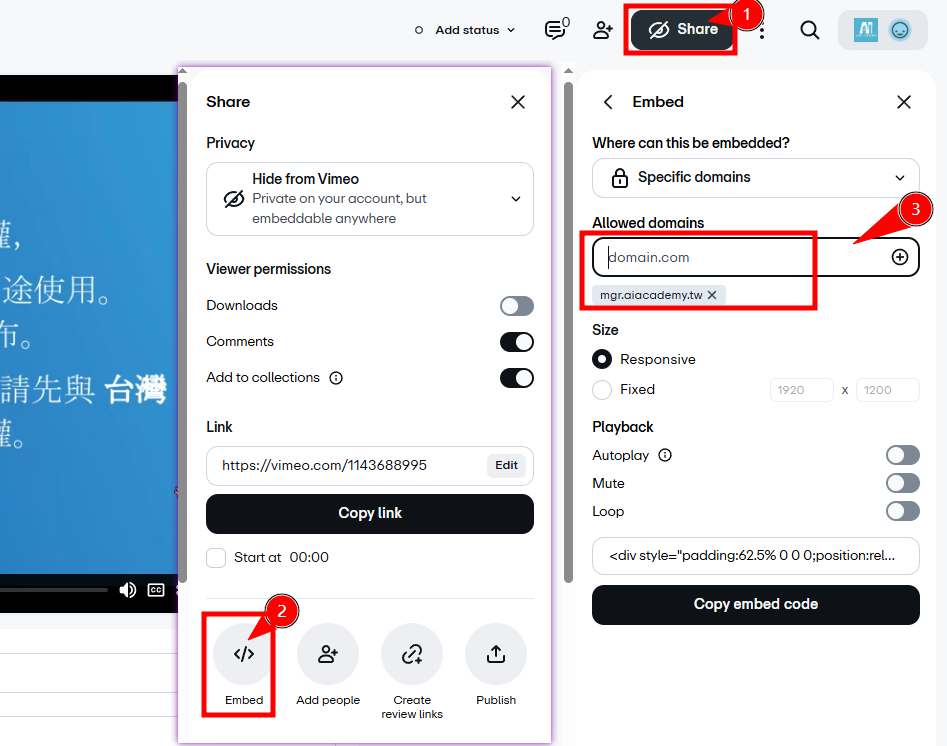
一般課程行政會上傳和設定,年會的話要自己上傳
影片對應要改
在「開課流程」
| 11 | 課前 | 登入看影片的權限 | 說明 |
 |
 /root/liveserver2024/data/www/mgr.aiacademy.tw/_aiacademy_helper.php
$ary_AIA_school_no_joinno:: L157
$ARY_HAS_VIDEO_XLASS:: L236
課中 htaccess設定 (線上)
課程經理上課需要用 admin 看學員狀況 需要放行上課地點的 IP class.aiacademy.tw/enter_logs/admin/.htaccess
通常是來這裡 https://class.aiacademy.tw/enter_logs/dashboard/index.php
可能是用到當天打卡紀錄頁面,補打卡 https://class.aiacademy.tw/enter_logs/admin/how_about_today.php
另外是 mgr 班學員自行補刷打卡,有限制 wp-admin/.htaccess IP
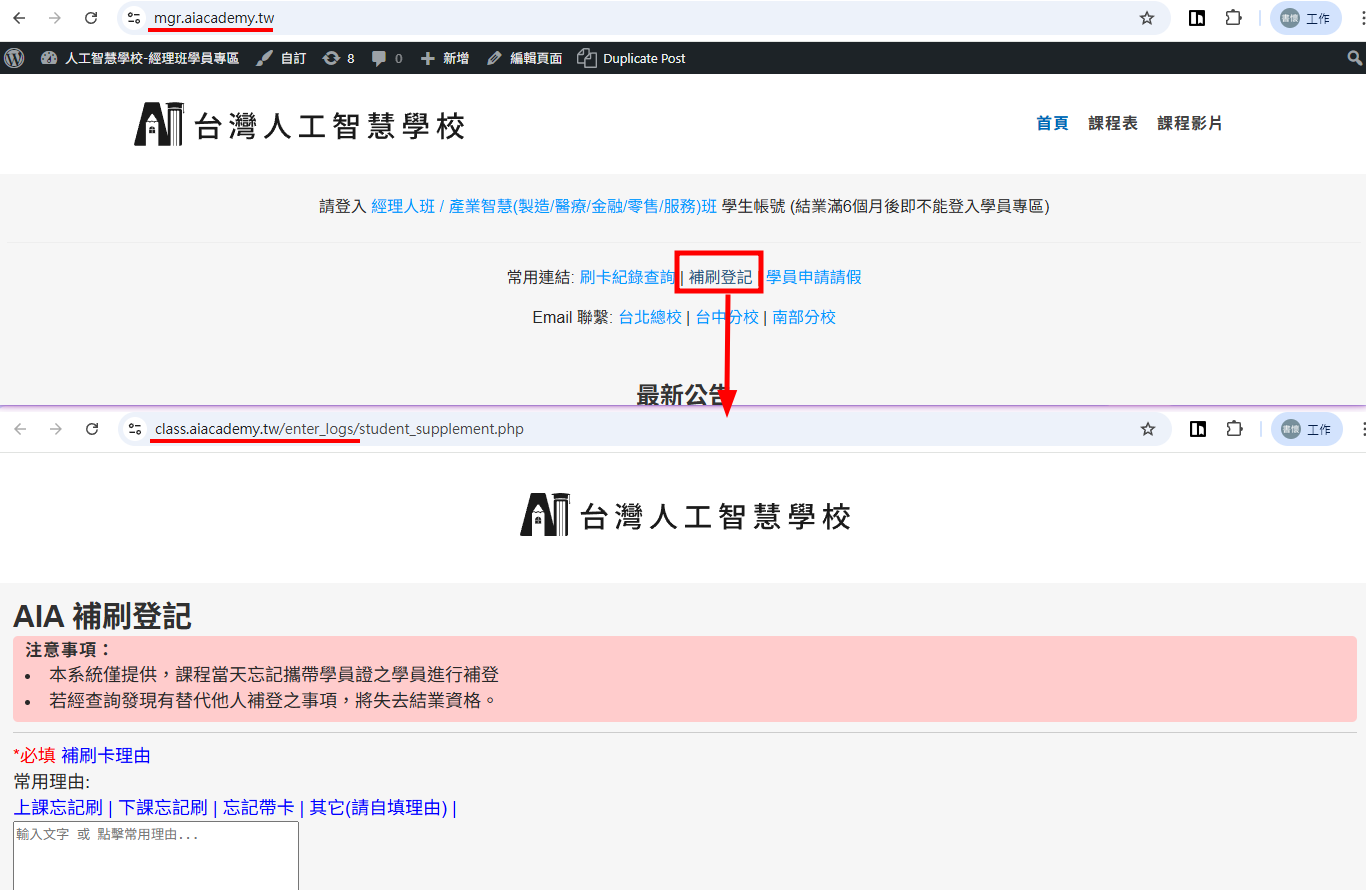
課後,校友相關

資料庫名稱:aia_student_id 備註:aia資料夾裡面有一個alumni是一個獨立的wp
入口在這個頁面 sftp://root@149.28.16.132/data/www/aiacademy/alumni/find_student_id/index.php
上傳的位置:sftp://root@149.28.16.132/data/www/aiacademy/alumni/find_student_id/import/py_batch_import.py 這裡是結業時,學務會給一個有結業的名單 csv ,從這裡上傳
新增對應學號名稱
這邊可以給校友登入,查自己學號 https://aiacademy.tw/alumni/find_student_id/
改首頁 Banner
位置在這邊: data/www/aiacademy_tw/wp-content/themes/a/_swiper_banner.php
更新網站 CSS
修改來源檔:
/root/liveserver2024/data/www/aiacademy_tw/c/v2base--uncompressed.css
修改完成後重新產生線上 CSS:
cd /root/liveserver2024/data/www/aiacademy_tw/c
node mini_css_files__.js v2base
輸出檔案為:
/root/liveserver2024/data/www/aiacademy_tw/c/v2base.css
完成後清除 WP Fastest Cache,並重新整理頁面確認樣式。
v2base.php已停用,不要透過該頁面編輯 CSS。請修改v2base--uncompressed.css,再執行上述指令產生v2base.css。
網站鎖 IP
class.aiacademy.tw 和 mgr.aiacademy.tw 兩站有鎖 IP ,限學校辦公室和各教室使用,但鎖 IP 這讓行政人員去新地點有點麻煩。
做法是到新地點,取得 IP 後加入下面三個地方:
class.aiacademy.tw/wp-admin/.htaccess 這是讓人可以登入 class 站後台
class.aiacademy.tw/enter_logs/admin/.htaccess這是讓人可以進入管理頁面
mgr.aiacademy.tw/wp-admin/.htaccess 這是讓學務可以登入經理人班後台改課表等
2026-01-29 之後新增了 User-Agent 可以有進入權限的方式,是用 Chrome 的 Agent-switch 外掛,讓字尾加上 AIAcademy_TA 或 AIAcademy_TA:someone ,就可以進入後台